Week 5 - House Keeping

Began work on grade specific projects
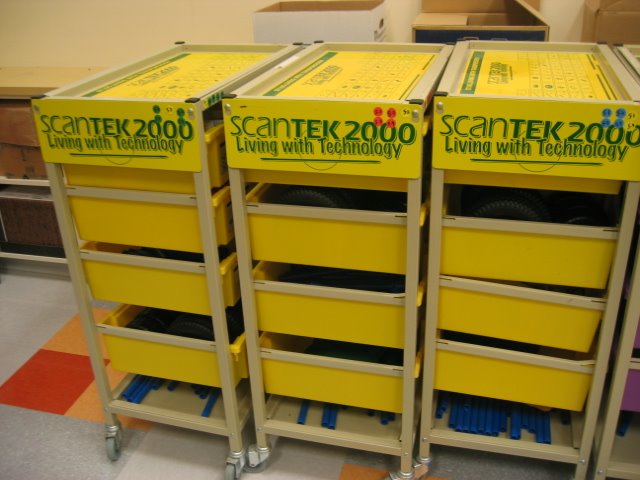
  • 5th Graders - Began Building Carts -Assignment l on Scantek Module Kits. Working in Groups of 3.


  • 6th Graders - Learned about Power Tools
    • Belt Sander


  • 7th Graders began creating google accounts and blogs. They also created name avatars.


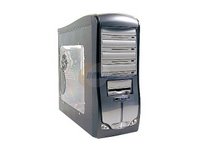
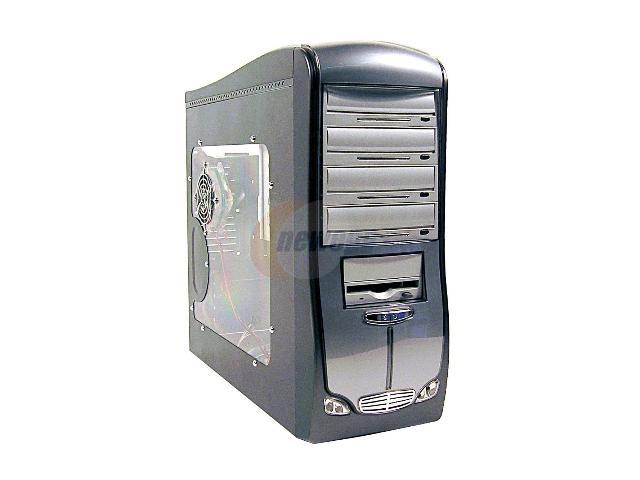
  • 8th Graders learned about Computer Cases. Given criteria for cases can buy and learned how to purchase online.
      • They learned about Newegg
      • Criteria for case can purchase
        • Costs $50 (include shipping and powersupply)
        • Size - Mid Tower to Full Tower (fits microATX motherboard)
        • Store - Have to buy from Newegg


Week 4 - Started Focusing on Projects

Began work on grade specific projects


  • 5th Graders - Did Inventory Control on Scantek Module Kits. Working in Groups of 3.


  • 6th Graders - Learned about Power Tools going to us in building Skateboards
    • Belt Sander
    • Spindle Sander
    • Drill Press
    • Hand Sanders
    • Safety Glasses

They will all get chances to work with a variety of tools


  • 7th Graders
      • Began process of creating their own Blogs


  • 8th Graders picked their groups (or 2,3,4) each responsible for a part in their Computer Building Agency
      • Began process of creating their own Blog

Week 3 - Finished Opening Activities

Finished up opening activities


  • 5th Graders & 6th Graders - Checked maps for were all the safety gear was located in the classroom.
  • 7th Graders watched samples of videos from previous classes as well as from professionally produced shows. Watched Discovery Channels "How it is Made" series show on Skateboards. Focused on parts of HOW video done (Camera Angles, Audio, Video Editing)
  • 8th Graders took notes on computer parts and how they relate to human capabilities.

Week 2 - Opening Activities

Each Grade began activities in their areas of focus.

  • 5th Graders & 6th Graders - Began creating maps of were all the safety gear was located in the classroom.

  • 7th Graders watched samples of videos from previous classes as well as from professionally produced shows. Watched Discovery Channels "How it is Made" series show on Skateboards. Focused on parts of video
  • 8th Graders took notes on how people buy computers.

Week 1 - Introduction

Welcome this website will provide information on your classes.

I am looking forward to a great start! Remember if you catch me wearing the same neck tie at any time during the school year you can win a Chocolate Tie!
  • 5th Graders will focused on learning how to use team work to complete projects
    • Using ScanTek Materials they will build and learn about Transportation and Machinery. They will also use Robotic Kits and Building Kits if they meet the teamwork standard.


  • 6th Graders will focus on learning how to produce following steps in the Production Process. They will use Wood Working Tools to create Skateboards.


  • 7th Graders focus on Communication. They will use iBooks to create Movies, Print, and Web versions for their Advertising Agency.


  • 8th Graders will focus on Planning. They will build Computers for the School learning how plan and implement a project from start to finish.


All Grades will participate in a service project. This year is a school sign.

I am looking forward to a great start!

All Grades will participate in a service project.

Week 18 - Finishing up Projects

Tech Day!


Students and Parents were able to particpate in a variety of activities

(Parents could get a virtual tour by listening to provided iPods)

Overall winner for 7th grade contest announced!
Brynn, Kerrie & Alyssa


Comic Life, Newscast, Garageband, Blogs, iMovie
DDR / Skateboard / Wii
Cars, Robotics, Celestia, Google Earth, Skype

Newscast


Skype (calling other countries from computer)


Technology Showcase Tuesday 3-6!

Student Technology Showcase

Sebasticook Valley Middle School

Tuesday, June 5th 2007


Doors open at 3:00 with the Integrated Technology Awards Ceremony at 6:00

Lobby

Parents can sign out an iPod to use as audio tour guide. Listen to explanations from students about the events that are happening throughout the building. Don’t forget to vote for your favorite skateboard design and computer the winners will receive a Zoo York Skateboard! At the awards ceremony we will find out the winner of the video contest! (Overall winner will receive an iBook Laptop!)

Cafeteria

Call another country using Skype and see exactly where the caller is from using Google Earth. With voice over internet protocol, we can make free phone calls to other countries and see who we’re speaking too with the webcam. Then, using Google Earth we’ll zoom right in with the satellite image of where the caller is from!

Gymnasium

See how technology is changing the way students play video games and how they can use them to stay fit. Here you can boogie with Dance Dance Revolution where players dance in an intense workout or use the Wii gaming system and try your hand at virtual tennis, bowling and baseball.

Library

There are a number of technology showcases going on in the library. Take the opportunity to comment on student online weblogs. Maybe get some quick tips on digital videography from the broadcasting kids or create a new song with GarageBand. Here we display a few of the multimedia tools that the students have access too.

Computer Lab

Here parents can use Comic Life to make a personalized yearbook page of their child. Use photos that have been taken and make a custom page about you student, then print it off and take it home with you! Also check out the Digital Yearbooks created by the students this year.

Newsroom

Try your hand at reading the news. Each morning students broadcast announcements to the homerooms, now here’s your chance to see if you can make it as a Morning News Anchor!

Integrated Technology Room

Student will display how they have used and programmed robotics, designed a roller-coaster and built their own computers in the IT room.


If you have questions of would like more information please call 368-4592 or email:


keithkelley@msad48.org

kkelley@msad48.org

jmckenzie@msad48.org


Week 17 - Videos Due, Grip Tape Boards, Boot Computers, Robotics

Worked on grade specific projects

* 5th Graders worked on Assignment 5 - Transportation in Water. They built a propeller boats.


More students moved on to building robots!


Students began building kits Rollercoasters & Erector Sets!


* 6th Graders - Started Polying Boards and putting on Griptape / Wheels!


* 7th Graders - Worked on Videos! Due FRIDAY JUNE 1st! They are also podcasting and working on a webpage for IT.


* 8th Graders - Worked on wiring computers some groups started computers for first time.

Week 16 - Poly Skateboard, Videos Due, Wiring Computers, Building Kits

Worked on grade specific projects

* 5th Graders worked on Assignment 5 - Transportation in Water. They built a propeller boats and tested it!


More students moved on to building robots!


Students began building kits Rollercoasters & Erector Sets!


* 6th Graders - Started Polying Boards!


We continued to skate in the gym to learn how to skateboard safely. Jessie Fischer showed us some tricks!


* 7th Graders - Worked on Videos! Due JUNE 1st! They are also podcasting and working on a webpage for IT.
Our logo Our Group Members


* 8th Graders - Worked on wiring computers.